Posts

Windows Search; the honeymoon is over

Well, after my short test of Windows Search, I've come to this conclusion; Not ready for prime-time. My expectation was that it Should Just Work (tm). I really think they tried to come up with a good search tool, but this doesn't come close to the polished utility I expected. It seems to have issues with resetting to default index locations periodically, not providing an uninstallation method, rebooting without an option to delay it when installing, etc. etc. Just check the forums here: http://forums.microsoft.com/msdn/ShowForum.aspx?ForumID=127&SiteID=1 I'm moving on to have a look at Locate32.net, an application not unlike updatedb in the unix world. I should have stuck with this one to begin with, since I AM a Linux snob.
Windows Search indexing status; 149,000 files and counting

I'm keeping a close eye on the status of Windows Search on my Windows 2003 Server. The SAN shares out hundreds of gb of data, but I only need to index about 100gb... :-0 When I initially installed the new Windows Service, it occurred to me that I could roll it out to all the users, and let them index what they wanted...rrriiiiiight. I read an article that indicated when WS4 is installed, it automatically adds mapped locations to the index. WOW, that would be tons of network traffic, even if the service does throttle it back to minimize network impact. I found it to be a better implementation to install it on the server, wait for the index to complete, then roll it out to the users, and control the index locations via GPO, keeping them off the network. Unfortunately, the index database has grown to 25gb, and shows no signs of stopping. Good thing I decided to home the database on a volume with enough room... I'll post back when the indexing process completes. In a day or two...

Windows Search

I'd written an article a couple of months ago about leveraging Microsoft Indexing Services in the enterprise to facilitate searching network shares and publishing an ASP interface to an intranet for your users. My environment consists of a Windows 2003 Standard server providing the Indexing Services, a second AD / ASP / MS SQL 2k Windows 2003 Standard server with attached SAN and numerous network shares holding nearly 1tb in size, indexed by the Indexing Server. The Indexing Server also hosts the ASP pages for user searches. I've found out several things lately about Indexing Services, and would like to take a moment to point out some basic principle's of this technology: It's not necessary for the windows workstations to have Indexing Services enabled to enjoy a speedy network file search experience. In fact, many people will recommend that this service be turned off and disabled on workstations, since it can slow performance. To give Windows Desktop Search (WDS) th...

Importing CSV to MS SQL -or- Did I Do This Right?

Image
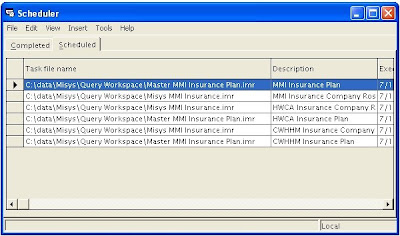
I was trying to find a quick and dirty method of exporting, and subsequently importing CSV data into MS SQL; programmatically. I'm dealing with rather small amounts of data, so this method may not work for many, but it Works For Me (tm). My source data comes from an AIX / uSQL box running Misys Tiger. Yes, I realize I could query that database directly, if I purchased the Transoft ODBC drivers for Server 2003, but at a couple grand it's much more cost effective to do it this way. The easiest method to retrieve my data is to use Misys Query, create a scheduled job, and export the resulting data to a network location for DTS (Data Transformation Services) to pick it up. The data is a rather exhaustive list of Insurance Companies, and their related plans. As one could imagine, this data is ever changing, a result of new "product lines" being developed by the lumbering health engine we call commercial payors. In the past, we exported the reports to PDF, and used the buil...

Code highlighting in blogs

I've looked around a bit for a utility for highlighting my code samples here on BlogSpot, and found a couple of useful tools. The first is code2html , which has been around for some time, and turns your perl, python and other types into pretty, formatted html. It works well, is CGI, but has some limits to its' implementation. Then I found a great swiss-army knife of a utility, called highlight.js . It will automatically detect code blocks, and highlight them for you. It does have issues with too much code, or intermixed code on one page, but does a nice job. If it fails to correctly identify your code, a sample export page is included with the package that allows you to manually format your code to html. Happy highlighting!

NPI Search Redundancy

Most healthcare professionals know at this point that all providers of health care, require NPI (National Provider Identifier) numbers. Without one, it will become increasingly difficult for claims to be paid by commercial payers, and impossible to collect medicare and medicaid payments. Since we are a coding/billing/collection/management agency, we have frequented the NPPES (National Plan & Provider Enumeration System) to lookup NPI information. Unfortunately, there have been brief periods of downtime of the site, causing us to implement our own solution: a backup of the registry. I have a daily cron job that downloads the NPI database, push it into MySQL, giving us an albeit slow, but accurate access to an off-line version of this data. The shell script below performs the retrieval: #!/bin/sh WORKDIR="/srv/htdocs/npi" LOG="$WORKDIR/npi.log" MONTH=`date +%b` LASTMONTH=`date +%b --date='1 month ago'` YEAR=`date +%Y` URL="http://nppesdata.cms.h...

The Best News Archive Reader

Wow, talk about a news reader on steroids... I happened to stumble upon this VERY cool news reader. From their site, the quick description: MarkMail lets you search millions of emails across thousands of mailing lists Search using keywords as well as from: , subject: , extension: , and list: constraints The GUI doesn't yet expose it, but you can negate any search item, like -subject:jira . Subdomains are list constraining, so tomcat.markmail.org searches tomcat lists Use "n" and "p" keyboard shortcuts to navigate the search results You're going to want JavaScript enabled You can stay current with the MarkMail blog What I think is really cool, is that MS docs are also included in the mix. When you find them, it pops them up in what looks like a Thickbox/JQuery interface. VERY nice. It's very intuitive, IMHO. You perform a search, and are presented with a match list of messages. Clicking on one "slides" the thread to the left, revealing ...